PSCompletions (psc)
Introduce

Star ⭐️ or Donate 💰 if you like it!
TIP
- PowerShell (Core): A cross-platform PowerShell. Start it by running
pwsh/pwsh.exe. - Windows PowerShell (Desktop): A PowerShell which is built-in on Windows system. Start it by running
powershell/powershell.exe. - They can both use
PSCompletions, but PowerShell (Core) is more recommended.
A completion manager for a better and simpler tab-completion experience in PowerShell.
- Built-in completion library.
- More powerful module completion menu.
- Support multiple languages: en-US, zh-CN, etc.
- Sort completion items dynamically based on command history.
- Work with other tools.
Demo
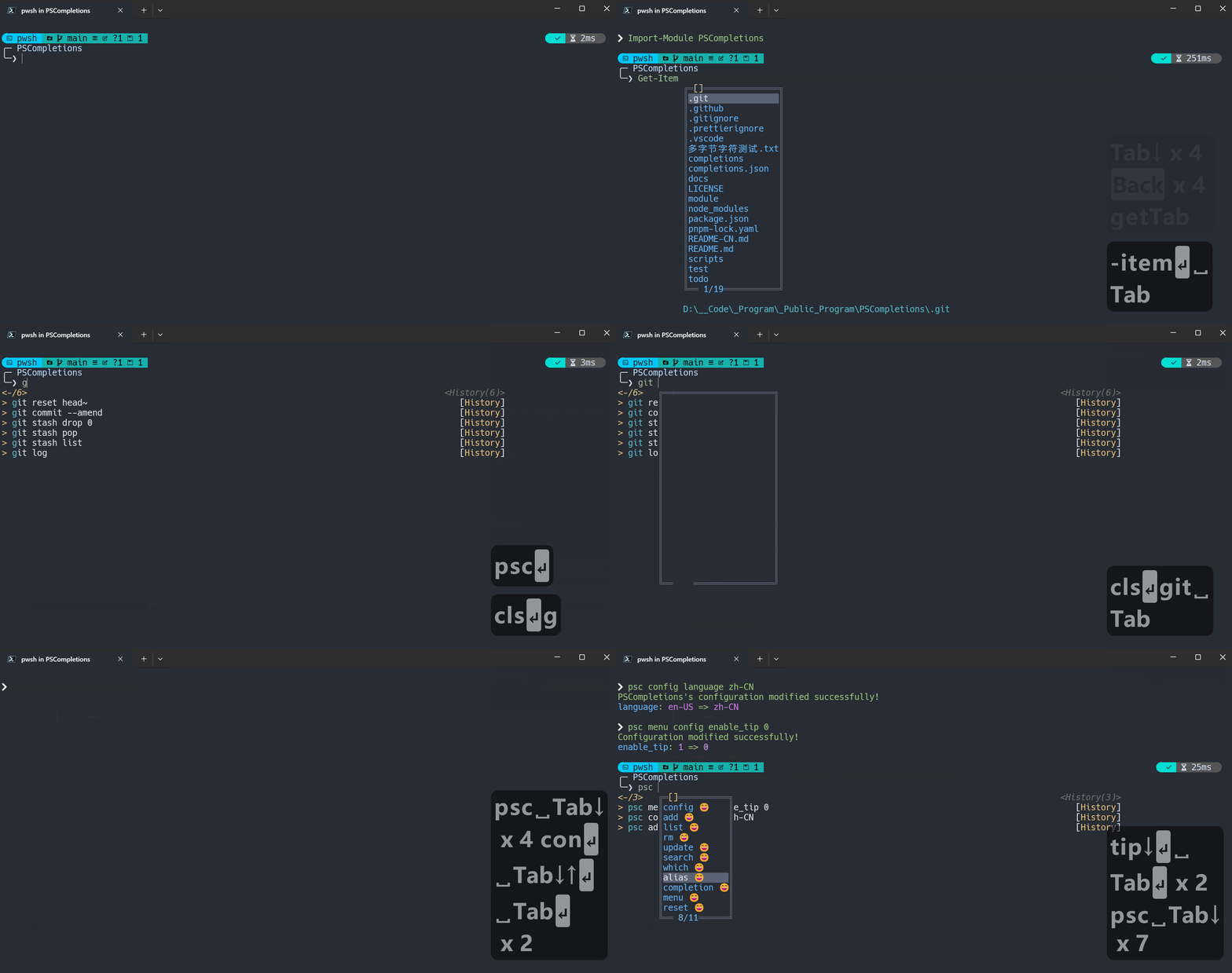
What's new
See the changelog for details.
Contribution
See the contribution guide for details.
How to install
Install the module.
- powershell
Install-Module PSCompletions - powershell
Install-PSResource PSCompletions
- powershell
Import-Module PSCompletions
TIP
- If you use
. $PROFILE, please runpscto reload the module's key bindings and data. - Refer to: Source profile
How to use
Use the built-in completion library, like
git.- Add completion:
psc add git - Then you can enter
git, pressSpaceandTabkey to get command completion.
- Add completion:
Use official completion or other completion libraries.
If there is an official completion for
xxx, a similar command may be run:powershellxxx completion powershell | Out-String | Invoke-ExpressionWork with other completion libraries: argc-completions, Carapace
For more details, please refer to menu enhance
Acknowledgements
- PSReadLine: A built-in module in PowerShell, which is used to enhance command line editing experience.
- PSCompletions uses
Set-PSReadLineKeyHandlerandGet-PSReadLineOption.
- PSCompletions uses
- PS-GuiCompletion: GUI-style tab-completion menu for PowerShell.
- The module completion menu of PSCompletions is inspired by it.